User guide
Bus supervisor guide
Start the trip and board students stop by stop.
-
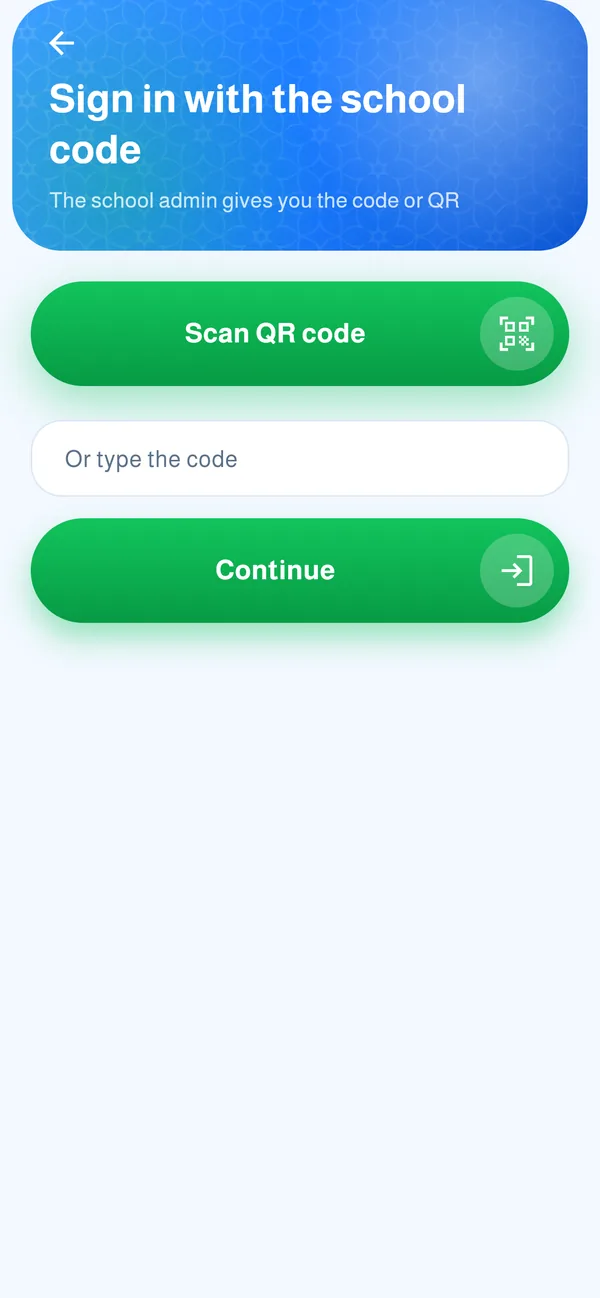
Sign in with the school code
The school admin or bus manager gives you a code or QR. Type it, tap “Continue” and wait for confirmation.
-
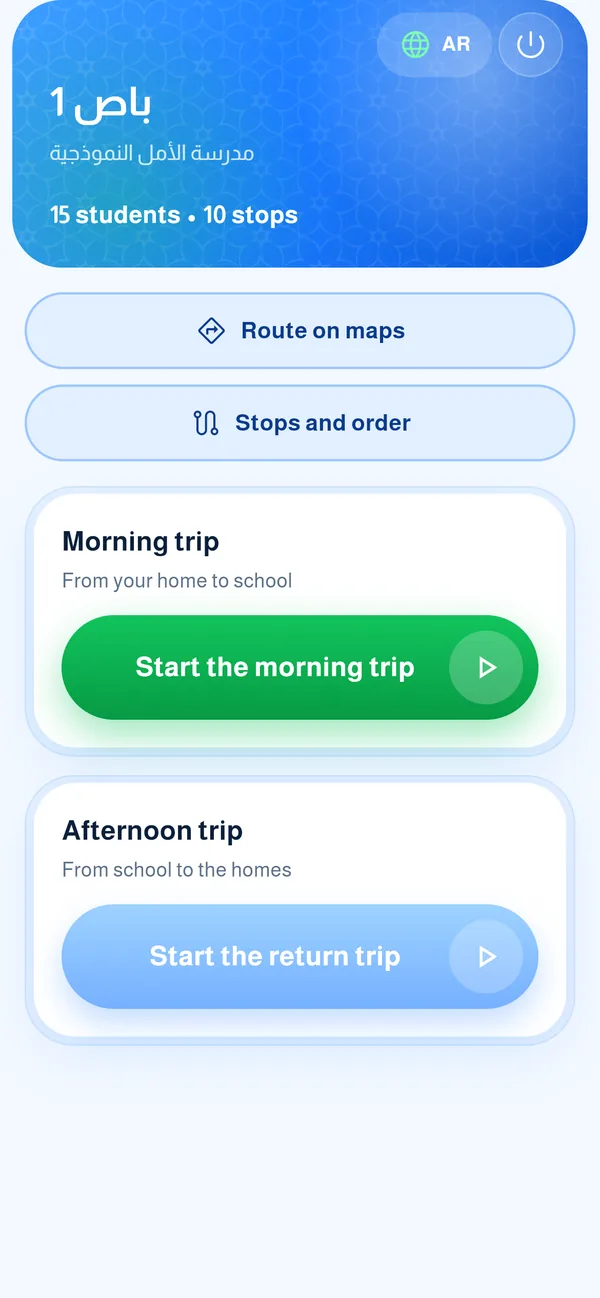
Choose your trip
Your bus screen shows the students and stops. Tap “Start the morning trip” in the morning (homes to school) and “Start the return trip” after school.
- 1Start the trip
 1
-
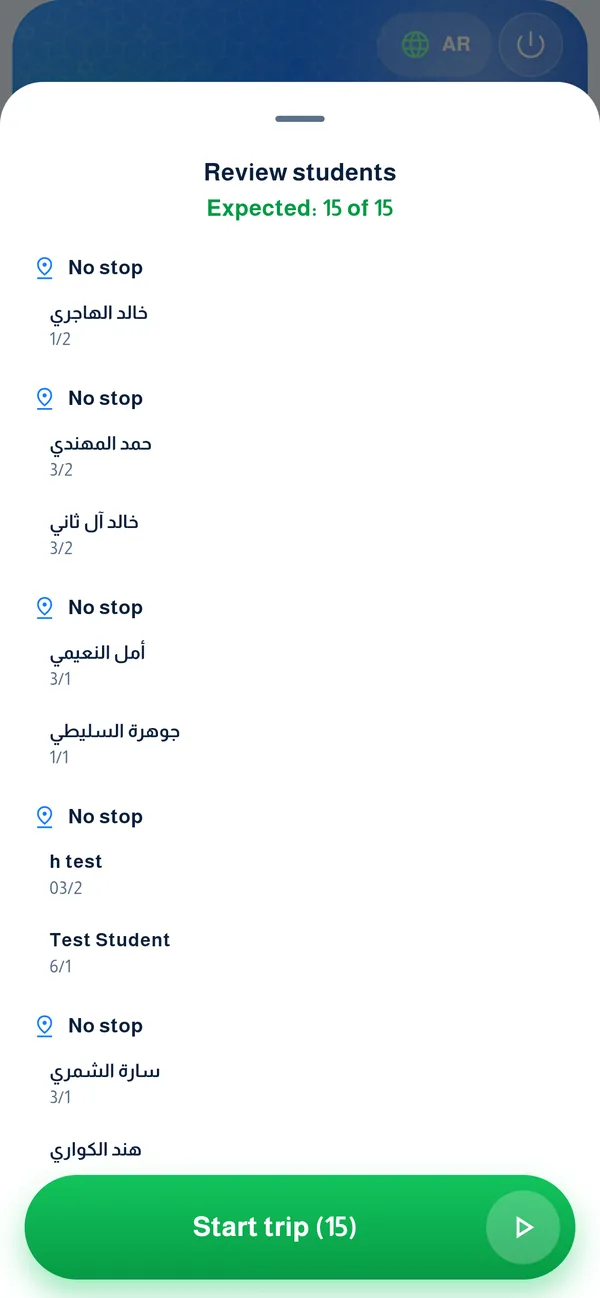
Review the trip’s students
Before starting you see everyone expected and who is absent today. Tap “Start trip” when ready. The app needs your location during the trip only.
-
Follow the stops
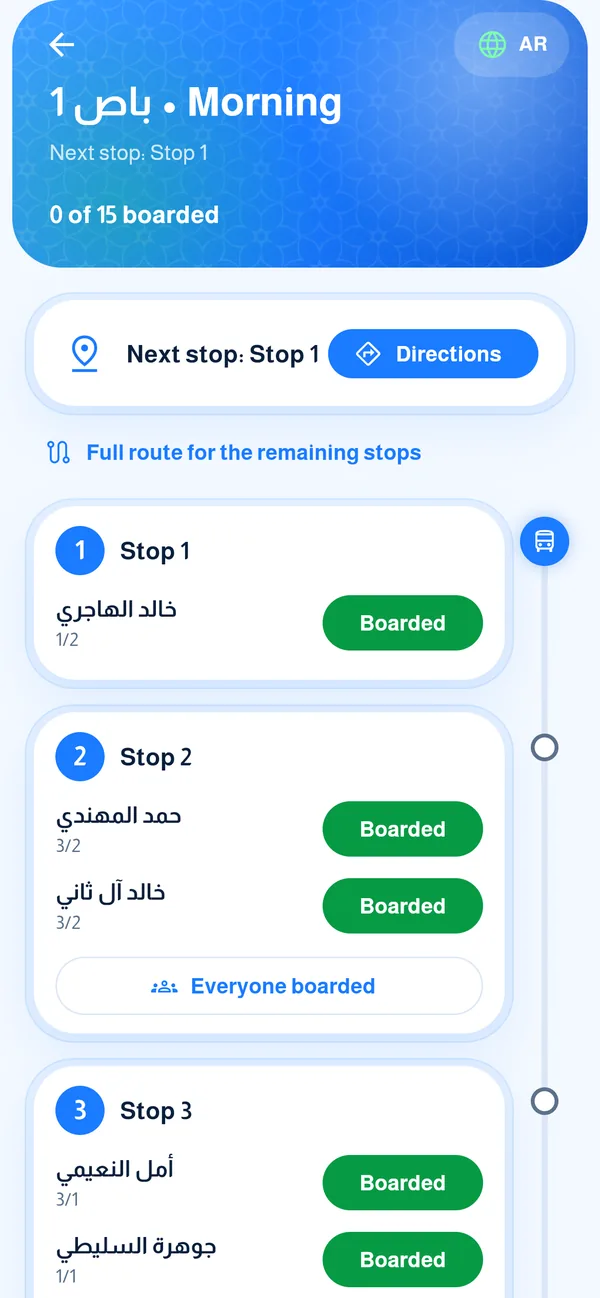
You see the next stop and a “Directions” button to open maps. Parents at the next stop are notified automatically, so you do not need to tell them.
-
Board the students
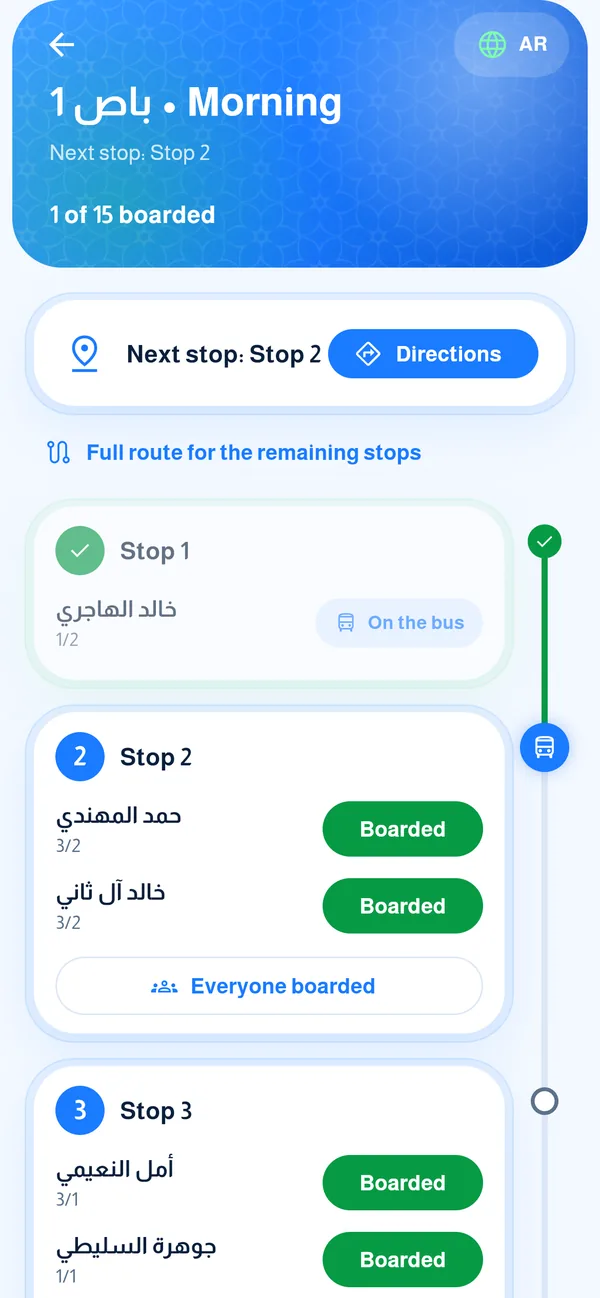
Tap “Boarded” for each student who gets on, or “Everyone boarded” for the whole stop. The green line moves to the next stop.
-
Stops and order
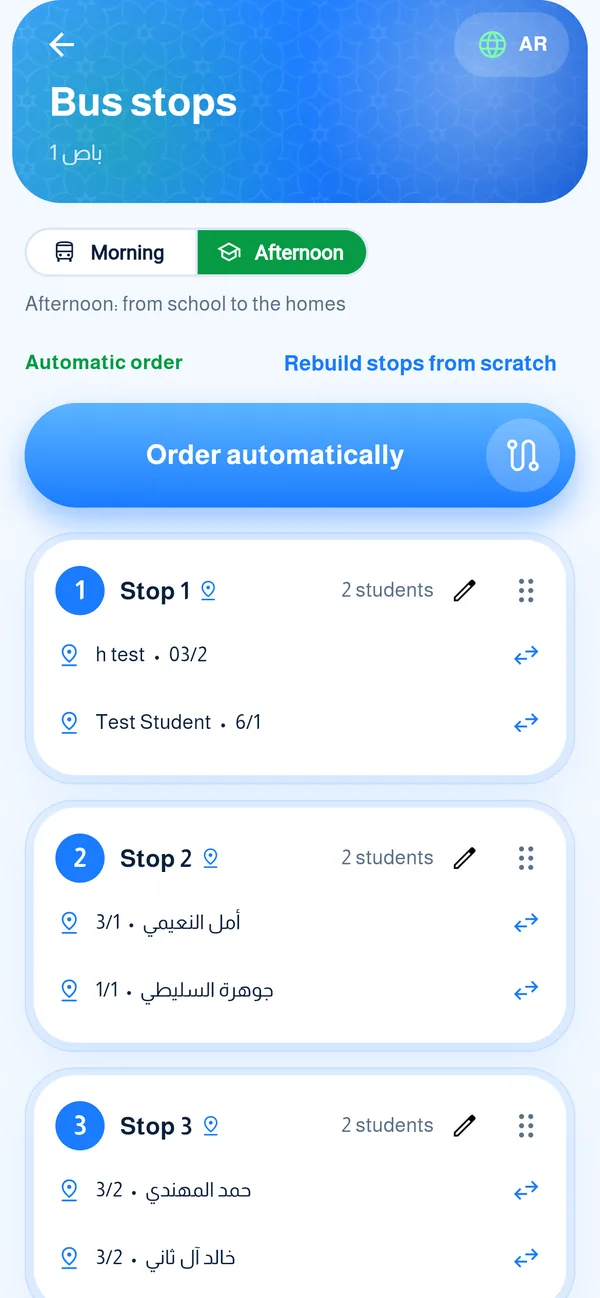
From the main screen open “Stops and order” to review your stops, name a stop, and move a student from one stop to another.
Common questions
How do I start a trip (bus supervisor)?
Your bus shows with students and stops. Tap “Start the morning trip” in the morning (homes to school) or “Start the return trip” after school, review the students and who is absent today, then “Start trip”.
Does the app track my location all day?
No. It needs your location only while the trip screen is open, and it does not run in the background.
How do I board students?
Tap “Boarded” for each student who gets on, or “Everyone boarded” for the whole stop. Parents at the next stop are notified automatically.
A student is missing from my list?
They may be absent today (their parent reported it in the app) or have no stop. Contact the bus manager.
A student has no stop?
It shows “No stop” when their family has no home location. The parent sets it in the app, or you set it: the supervisor with “I am at the student’s home” while standing there, the manager by pasting a maps link or coordinates on the stops page.
I started a trip by mistake?
Ask the bus manager to end it, or tap “Resume trip” and end it yourself. Forgotten trips close automatically after six hours or on the next day.